










Let’s just sit and talk it through.

One link and everyone is in the room. When you stand up, the minutes are written and the work is handed out.

Opens in any browser, on a phone or a laptop · Nothing to install · Guests only type their name

In within seconds

A link and a name. No app, no account, no update.

Minutes when it ends

Decisions, votes and who does what, drafted for you.

Captions and translation

Read the room in your own language as it talks.

Built for the whole meeting

Agenda, board, slides, polls, quizzes and votes, in one room.

Only on Sitting

What other meeting rooms leave out.

The big meeting apps are made for office calls. Sitting is made for how churches, mosques, schools, councils and teams really meet: in a hall and online at once, in more than one language, with things to read, votes to take and a record that counts.

The Bible and the Quran, on the table

Open a passage for everyone as they come in, and the room follows the reader's place. The King James, World English and Louis Segond Bibles, and the Quran in Arabic.

Votes that count

An agenda and a quorum, motions voted on in the room, and minutes the members adopt and seal.

The hall and online, one register

People in the room check in from their phones by QR. Everyone counts towards the quorum and the certificate.

Every language in the room

Each person reads the captions in their own language. Interpreters can speak to whoever chooses to listen.

Certificates anyone can check

Earned by the time each person was really there, signed by your organisation, with a code and a QR to verify.

Live to YouTube and Facebook

Go live from the room to one place or several at once, for the people who will only watch. Every stream goes into the record.

How it works

Before, during and after: one place.

Most tools stop when the call ends. A sitting starts with the invitation and ends when the last task is done.

Step 1 · Before

Plan it once. Everybody has it.

  • In their calendars, and kept thereMove a sitting and every calendar moves with it.
  • Open by link, or by invitationWith a waiting room when you want one.
  • Weekly, monthly, every dayOne link for the whole series.
  • An agenda, and a quorumFor sittings that decide things.
  • Sent to a WhatsApp groupThe title, the time and the link, in one tap.
Who sits here

Made for people who meet to get something done.

The room is the same for everyone. What each kind of meeting needs is already in it.

Classes and courses

Lectures, tutorials and project reviews. Students open a link and they are in.

  • A board that writes by hand
  • Your slides, presented
  • Quizzes with a leaderboard
  • Students in the hall check in
  • Certificates of attendance
  • Captions in their language

Churches and mosques

Services, Bible and Quran study, and the committee after.

  • The Bible and the Quran, open together
  • Live to YouTube and Facebook
  • Interpreters for every language
  • The hall and online, one register
  • Readings followed by everyone
  • A record of every service

Boards and councils

Formal sittings, run properly, with a record that will stand.

  • An agenda and a quorum
  • Motions: for, against, abstain
  • A speaker clock for the chair
  • Minutes adopted and sealed
  • Co-hosts who help run it
  • Ask the record what was agreed

Teams and clients

The weekly meeting, the client call, the review.

  • Private by invitation
  • A waiting room when you want one
  • Tasks that follow people up
  • Recordings in chapters
  • Calendars that keep up
  • Ask the record what was agreed
The record

When you stand up, the work is done.

Every sitting leaves a record: who came, what was decided and by how many, who does what by when. It is drafted while you talk, and nothing in it is final until you adopt it.

Minutes you adopt

Drafted from what was said and decided. You correct them, adopt them, and they are sealed.

Ask the record

Any question, across every sitting you have held, answered with its sources.

Recordings in chapters

Jump to the item you need, or share one chapter on its own.

Certificates anyone can check

For the time people were present, with a code and a QR to verify them.

Everyone in

Every language in the room, and every connection.

Speak your language. Read the room in yours.

Captions are translated for each person's screen, interpreters speak to whoever chooses to listen, and the minutes are written in your organisation's language.

EnglishFrançaisKiswahiliHausaYorùbáTwiGaEʋegbe

spoken and read read preview, being checked by native speakers

Photo: Adrien K, CC BY 2.0, Wikimedia Commons

Light enough for the connection you have.

People in the hall check in from their phones without video. Nobody downloads an interpreter they are not hearing. Those who only watch follow live.

Check in by QROnly what you hearYouTubeFacebook

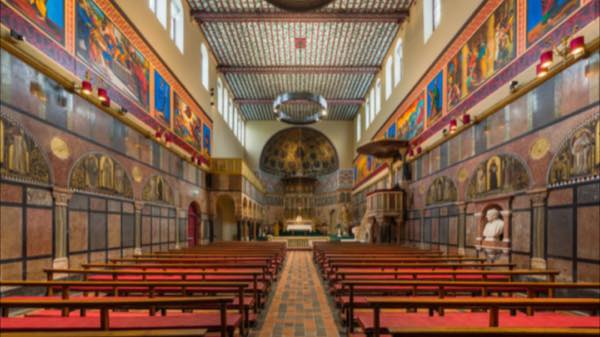
Photo: Diliff, CC BY-SA 3.0, Wikimedia Commons

Pricing

Every feature free for 14 days.

Then keep meeting for free, or choose a plan with no time limit, more people, minutes, recording, quizzes and certificates.

Free

€0

10 people, 60 minutes

Pro

€9 a month

100 people, no time limit

Organisation

€29 a month

300 people, up to 10 hosts

Half price for schools, students and places of worship. Prices excl. VAT.See pricing →

Get started

Speak to Akoto.

Sitting’s AI receptionist. Talk to her here, in the browser: tell her what kind of meeting you hold, and she will tell you what Sitting does for it and how to begin.

Akoto is an AI. She answers about Sitting and books nothing; for anything she cannot answer, write to info@devitify.fr.